
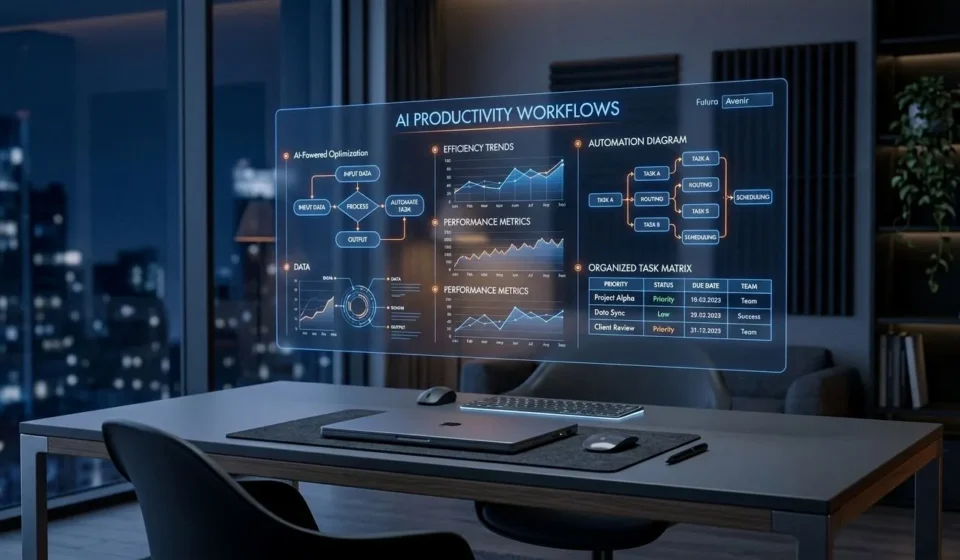
The 2026 AI Productivity Blueprint: 7 High-Impact Frameworks to Save 15+ Hours Every Week

Table of Contents
- The Shift: From Prompting to Workflow Delegation
- 1. The 'Context-First' Inquiry Loop
- 2. Autonomous Research & Synthesis Engines
- 3. The 80/20 First-Draft Accelerator
- 4. Intelligent Inbox & Communication Filtering
- 5. Dynamic Knowledge Retrieval (Second Brain AI)
- 6. Code & Spreadsheet Automation for Non-Techies
- 7. The Weekly AI-Powered Audit
- Key Takeaways for 2026
- Frequently Asked Questions (FAQ)
We have officially moved past the novelty phase of Artificial Intelligence. In 2023, asking an AI model to write a poem or summarize a basic article was fascinating. Today, in 2026, AI is no longer a party trick—it has become the core infrastructure of modern knowledge work.
Yet, despite having access to the most powerful tools in history, the average professional is still buried under endless emails, fragmented research, routine data sorting, and repetitive tasks.
Why? Because having access to powerful tools is not the same as having a system.
If you want to move from randomly asking chatbots one-off questions to unlocking an extra 15 to 20 hours every single week, you need clear, repeatable frameworks. Here is your step-by-step 2026 AI Productivity Blueprint designed to eliminate busywork, amplify your deep focus, and supercharge your career.
The Shift: From Prompting to Workflow Delegation
Most people still treat AI like a glorified search engine. They type vague prompts like "Write a marketing strategy" and receive generic, cookie-cutter outputs.
Top performers in 2026 do not view AI as a search bar—they view it as a team of specialized digital apprentices.
When you delegate structured workflows rather than ad-hoc tasks, your output multiplies exponentially without draining your mental bandwidth.
1. The 'Context-First' Inquiry Loop
The biggest reason AI outputs miss the mark is lack of context. LLMs thrive when they know the persona, constraints, target audience, and output format.
Instead of writing long paragraphs every time, use the C.R.E.A.T.E. framework:
- C – Context: What is the background situation?
- R – Role: Who is the AI acting as (e.g., Senior Product Manager, Technical Copywriter)?
- E – Explicit Task: Exactly what needs to be produced?
- A – Audience: Who is reading or consuming this?
- T – Tone & Constraints: What style, tone, length, or restrictions apply?
- E – Examples: Provide 1-2 positive examples of what great looks like.
Pro Tip: If you're looking to refine your core skills with foundational tools, check out our beginner's roadmap on how to use ChatGPT step-by-step to master prompting fundamentals.
2. Autonomous Research & Synthesis Engines
Reading through 50-page reports, market analysis PDFs, or technical documentation used to take an entire afternoon. In 2026, multi-modal synthesis tools do this in seconds.
- Upload source materials: Feed the raw transcripts, PDFs, or research papers directly into your AI workspace.
- Extract with targeted queries: Instead of "Summarize this", ask: "Extract the top 5 unexpected risks mentioned in section 3, formatted as a bulleted table with page citations."
- Counter-factual testing: Ask the model: "What critical blind spots or counter-arguments are missing from this analysis?"
This single framework cuts literature review and competitive analysis time by over 70%.
3. The 80/20 First-Draft Accelerator
The blank page is the ultimate enemy of productivity. Staring at an empty document creates friction, leading to procrastination.
Use AI for the first 80% of rough assembly, so you can spend your best cognitive energy on the final 20% of high-judgment editing, polish, and creative vision.
- Ideation: AI brainstorms 20 angles & outlines → You curate the 2 most compelling ideas.
- Structuring: AI builds a logical section hierarchy → You inject real-world stories and domain nuance.
- Drafting: AI generates initial body copy → You refine the tone, fact-check, and add personal voice.
4. Intelligent Inbox & Communication Filtering
Email overload is one of the highest contributors to cognitive fatigue. By integrating AI into your messaging workflows, you can automate triage:
- Summarize lengthy email chains: Get 3-bullet summaries of 20-email threads with direct action items.
- Draft contextual replies: Instruct your assistant: "Draft a polite but firm decline to this partnership request, citing our current focus on Q3 product launch."
- Tone Modulation: Turn a quick, emotion-driven note into a polished, professional stakeholder memo.
For more daily workflow hacks, explore our companion guide on 7 ways to use AI to boost your daily productivity.
5. Dynamic Knowledge Retrieval (Second Brain AI)
Managing bookmarks, meeting notes, project trackers, and shared drives often feels like searching for a needle in a haystack.
With modern personal AI knowledge bases, you can query your own historical notes in natural language, retrieving exact timestamps, meeting decisions, and document links in seconds.
6. Code & Spreadsheet Automation for Non-Techies
You don't need a technical background to automate repetitive data manipulation in 2026:
- Formula Generation: Plain-English prompts to generate complex lookup, regex, or nested formulas in Excel and Google Sheets.
- Quick Automation Scripts: Generate lightweight Python scripts to batch-rename files, convert datasets, or organize folders.
- Instant Data Summaries: Upload messy tables and receive immediate visual breakdowns and correlation charts.
7. The Weekly AI-Powered Audit
End every work week with a 15-minute diagnostic session:
- Review your calendar & task logs: Feed your completed task list to your AI assistant.
- Identify time sinks: Ask: "Which of these tasks were low-leverage or repetitive? Suggest 3 ways I can automate or template them for next week."
- Continuous improvement: Build custom templates and prompt shortcuts for recurring tasks.
Remember, building a modern career isn't about running faster on the treadmill; it's about building systems that scale. As we discussed in our reflection on why success has no fixed age or timeline, true progress comes from compound consistency rather than artificial rush.
Key Takeaways for 2026
- 💡 Move from Prompting to Systems: Build reusable, contextual templates rather than one-off queries.
- ⚡ Adopt the 80/20 Rule: Let AI create the scaffolding; apply your human judgment for the final touch.
- 🛡️ Future-Proof Your Skills: As routine tasks get automated, high-level decision making, storytelling, and ethical governance become your most valuable assets. (See also: 5 High-Paying Jobs of 2030).
Frequently Asked Questions (FAQ)
Will using AI tools make my writing and work sound generic?
Only if you rely on raw, unedited outputs. AI should be used as a structural assistant and brainstorming partner. When you apply personal anecdotes, domain expertise, and tone refinement, your work becomes distinctive and authentic.
What are the best free tools to start with?
Popular free options include ChatGPT (Free tier), Google Gemini, Claude, and NotebookLM for document analysis.
How do I protect sensitive company or client data?
Always review privacy terms. Never upload confidential, proprietary, or personal identifying information (PII) into public AI tools without proper privacy and opt-out data training settings enabled.
Stay Ahead. Stay Informed.
Join our community and be the first to receive our latest insights on AI, productivity, and modern career blueprints.
Subscribe to Newsletter